
Security when the install runs on premises or in your own cloud

The edge agent sits beside your devices. The hub and the FHIR store run on premises, in your private cloud, or in a device maker's cloud when the maker runs the install. Anything sent to us is de-identified first, inside the install.

On premises or in a cloud · TLS 1.3 · five roles · audit trail

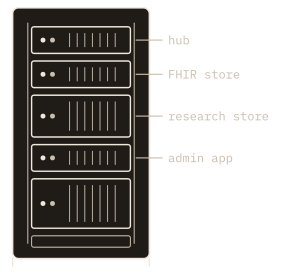
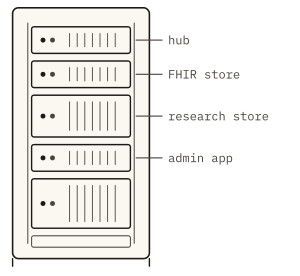
Fig. 1. An on-premises install behind the hospital wall, with one optional de-identified trace out through the slot.

The parts of the install, and where each one runs

The Kymolog™ edge agent sits next to the bedside devices, and the EHR is the hospital's own: both are always at the hospital. The hub and the FHIR store, which matches patients and sends readings to the EHR, run on premises or in a cloud account: the hospital's own or a device maker's. They run in containers on any standard Linux host, whether a server you own or an account on AWS, Azure or Google Cloud. The research store runs beside them or in our cloud.

The edge agent and the hub carry device values and device identifiers, never a name or a record number. Patients are matched to readings later, in the FHIR store, so a compromise at the edge exposes no patient details. The hub keeps no database: it receives each reading, forwards it to the FHIR store and acknowledges it.

Where each part of the install runsThree dashed boundaries. The hospital holds the devices, the edge agent, which codes each reading, and the EHR, the chart: these are at the hospital in every deployment. Below it, the install’s back end holds the hub, a TLS gateway, Kymolog, the FHIR store and review queue, a research store kept beside the install, and a de-identify step that applies an allowlist. The back end runs on the hospital’s premises, in its private cloud, or in a device maker’s cloud. An arrow crosses from the edge agent down to the hub: readings with a device id and no patient data. A two-way arrow joins Kymolog and the EHR: patient data, bed look-ups in and results out to the chart. From the de-identify step, a red arrow crosses to Saga’s cloud and forks: to the research store Saga hosts, and to the optional data network. It carries de-identified readings only.THE HOSPITALAlways at the hospital,whoever runs the back end.THE INSTALL’S BACK ENDOn the hospital’s premises, in itsprivate cloud, or in a maker’s cloud.a device id,no patient datapatient data: bed look-upsin, results to the chartSAGA’S CLOUDdevicesCGM, ECG,SpO₂, BPedge agentcodes eachreadingEHRthe charthubTLSgatewayKymologFHIR store,review queueresearchstore, besidethe installde-identifyallowlistresearchstore, hostedby Sagadata networkSaga add-on,optionalonly de-identifiedreadings cross
Where each part of the install runsThree dashed boundaries. The hospital holds the devices, the edge agent, which codes each reading, and the EHR, the chart: these are at the hospital in every deployment. Below it, the install’s back end holds the hub, a TLS gateway, Kymolog, the FHIR store and review queue, a research store kept beside the install, and a de-identify step that applies an allowlist. The back end runs on the hospital’s premises, in its private cloud, or in a device maker’s cloud. An arrow crosses from the edge agent down to the hub: readings with a device id and no patient data. A two-way arrow joins Kymolog and the EHR: patient data, bed look-ups in and results out to the chart. From the de-identify step, a red arrow crosses to Saga’s cloud and forks: to the research store Saga hosts, and to the optional data network. It carries de-identified readings only.Always at thehospital.THE HOSPITALOn the hospital’s premises, in itsprivate cloud, or in a maker’s cloud.THE INSTALL’S BACK ENDa device id,no patient datapatientdataSAGA’S CLOUDdevicesCGM, ECG,SpO₂, BPedge agentcodes eachreadingEHRthe chartKymologFHIR store,review queuehubTLSgatewayresearchstore, besidethe installde-identifyallowlistresearchstore, hostedby Sagadata networkSaga add-on,optionalde-identified readings only
Figure 2 as a table
PartWhere it runsPatient data
devices, edge agentthe hospitalnone: readings carry a device id only
EHRthe hospitalyes: the chart
hubthe back end: the hospital’s premises or private cloud, or a device maker’s cloudnone: it forwards readings and keeps no database
Kymolog (FHIR store, review queue)the back endyes: readings are matched to patients here, and results go to the EHR
research store, beside the installthe back endas your study needs
de-identify (allowlist)the back endtokens and shifted dates replace identifiers
research store, hostedSaga’s cloudde-identified readings only
data network (optional add-on)Saga’s cloudde-identified readings only
Fig. 2. The devices, the edge agent and the EHR are always at the hospital; the back end runs on its premises, in its private cloud, or in a device maker’s cloud. When a maker runs it, patient data crosses between the hospital and the maker’s cloud. Only de-identified readings cross to Saga, for a research store Saga hosts, the data network, or both.

Connections and credentials

Kymolog's own connections use TLS 1.3: edge agent to hub, hub to FHIR store, and FHIR store to an EHR's FHIR R4 API. HL7 v2 results travel over your interface engine's MLLP connection. Each edge agent opens its own connection out to the hub, on a standard HTTPS port. The hub answers only on that connection, so wherever it runs, it never reaches into the network the devices sit on.

Results reach your EHR through its FHIR R4 API or your interface engine. Your team sets up that interface to wherever the back end runs: your own servers, your private cloud, or a device maker's cloud.

Each edge agent proves who it is to the hub with a signed token that carries a one-time value, so a replayed message is refused. There are no default passwords and no shared API keys. The agent and the hub are written in a memory-safe systems language, which removes whole classes of memory bugs from the code that handles each reading.
Roles, and a record of who acted

Five roles come with default permissions: super admin, physician, charge nurse, nurse and biomed. A super admin can change any default for a single user, and the override takes precedence. Units can be restricted, so only the roles or users granted a unit see its readings. Access is checked twice, at the FHIR API and again in the app, and sign-in uses SMART on FHIR with OAuth 2.0.

The audit trail records who approved or rejected each reading, who corrected a patient match, and when. Automated steps are logged too, with the trigger that started them, such as a new reading or a status change (Fig. 3). Earlier versions of each reading are kept, so a correction adds a version and never erases the one before.

Roles and the audit logTwo panels. Panel a is a matrix of five roles, super admin, physician, charge nurse, nurse and biomed, against eight default permissions; per-user overrides win over the defaults. view the review queue: super admin, physician, charge nurse, nurse; approve or reject a reading: super admin, physician, charge nurse; correct the patient on a reading: super admin, physician, charge nurse; assign a device to a patient: super admin, physician, charge nurse, nurse; assign a device to a bed: super admin, charge nurse, biomed; register a device: super admin, biomed; retry a failed EHR send: super admin, biomed; manage roles: super admin. Panel b is an audit log with columns when, who, what, trigger and record. 10:20:01, automation, matched to p-041 by bed 7, trigger new reading, Observation/9b3f; 10:24:37, cn-02, charge nurse, approved, trigger review queue, Observation/9b3f; 10:24:38, automation, sent to the EHR, trigger status final, Observation/9b3f; 10:31:12, cn-02, charge nurse, corrected patient to p-041, trigger review queue, Observation/9b42; 10:52:40, md-04, physician, rejected, trigger review queue, Observation/9b44. The 10:24:37 entry, the charge nurse approving Observation/9b3f, is highlighted in red.aRolesdefault permissions; per-user overrides winSuper adminPhysicianCharge nurseNurseBiomedview the review queueapprove or reject a readingcorrect the patient on a readingassign a device to a patientassign a device to a bedregister a deviceretry a failed EHR sendmanage rolesbAudit logwho, what, when, and the triggerwhenwhowhattriggerrecord10:20:01automationmatched to p-041 by bed 7new readingObservation/9b3f10:24:37cn-02, charge nurseapprovedreview queueObservation/9b3f10:24:38automationsent to the EHRstatus finalObservation/9b3f10:31:12cn-02, charge nursecorrected patient to p-041review queueObservation/9b4210:52:40md-04, physicianrejectedreview queueObservation/9b44
Roles and the audit logTwo panels. Panel a is a matrix of five roles, super admin, physician, charge nurse, nurse and biomed, against eight default permissions; per-user overrides win over the defaults. view the review queue: super admin, physician, charge nurse, nurse; approve or reject a reading: super admin, physician, charge nurse; correct the patient on a reading: super admin, physician, charge nurse; assign a device to a patient: super admin, physician, charge nurse, nurse; assign a device to a bed: super admin, charge nurse, biomed; register a device: super admin, biomed; retry a failed EHR send: super admin, biomed; manage roles: super admin. Panel b is an audit log with columns when, who, what, trigger and record. 10:20:01, automation, matched to p-041 by bed 7, trigger new reading, Observation/9b3f; 10:24:37, cn-02, charge nurse, approved, trigger review queue, Observation/9b3f; 10:24:38, automation, sent to the EHR, trigger status final, Observation/9b3f; 10:31:12, cn-02, charge nurse, corrected patient to p-041, trigger review queue, Observation/9b42; 10:52:40, md-04, physician, rejected, trigger review queue, Observation/9b44. The 10:24:37 entry, the charge nurse approving Observation/9b3f, is highlighted in red.aRolesdefaults; per-user overrides winSAMDCNRNBMview the review queueapprove or reject areadingcorrect the patient ona readingassign a device to apatientassign a device to abedregister a deviceretry a failed EHRsendmanage rolesSA super admin, MD physician, CN charge nurse,RN nurse, BM biomedbAudit logwho, what, when, trigger10:20:01  automationmatched to p-041 by bed 7Observation/9b3f, new reading10:24:37  cn-02, charge nurseapprovedObservation/9b3f, review queue10:24:38  automationsent to the EHRObservation/9b3f, status final10:31:12  cn-02, charge nursecorrected patient to p-041Observation/9b42, review queue10:52:40  md-04, physicianrejectedObservation/9b44, review queue
Figure 3 as a table
PermissionSAMDCNRNBM
view the review queueyesyesyesyesno
approve or reject a readingyesyesyesnono
correct the patient on a readingyesyesyesnono
assign a device to a patientyesyesyesyesno
assign a device to a bedyesnoyesnoyes
register a deviceyesnononoyes
retry a failed EHR sendyesnononoyes
manage rolesyesnononono
Fig. 3. Who may do what, and the record of what they did. Each role starts from defaults like these and a super admin can override them per user; every approval, rejection, patient correction and automated step is logged with who, what, when and the trigger.

Where patient data goes

Identified patient data lives in your EHR and wherever the install's back end runs, and the install de-identifies every reading it sends to us. Who holds the identified data depends on who runs the install.

Your hospital runs it

When your hospital runs the install on premises or in its private cloud, identified data stays with the hospital. The FHIR store and review queue sit on servers or cloud accounts your own IT team controls.

A device maker runs it

A device maker can run the install's back end in its own cloud for the hospitals that use its device. The edge agent remains beside your devices, and your EHR is unchanged. Readings and patient data travel from your hospital to the maker's cloud, where readings are matched to patients, and the results come back to your EHR. The maker holds that data under its agreement with your hospital.

We host the research store

The research store runs on premises, beside the install, or in our cloud. The install de-identifies each reading before it reaches our cloud, so a research store we host holds de-identified readings only. The data network, a separate add-on service we run, receives readings the same way, and only if your hospital joins.

De-identification runs inside the install's environment, by allowlist: a field leaves only if it is on the list. Patient and visit identifiers cross as tokens, each patient's dates shift by an offset of their own, and free text never crosses. The store that holds the tokens stays inside the install and is encrypted.

Send us your security questionnaire

Bring your questionnaire, in SIG, HECVAT or your own format. The demo walks your security team through the boundary, the roles and the audit trail on a running install. We reply within one business day with times to talk.

Request a demo